Plain verdict
Good, Watch, or Action Needed, with one sentence explaining what the result means.
Free MacBook battery health monitor
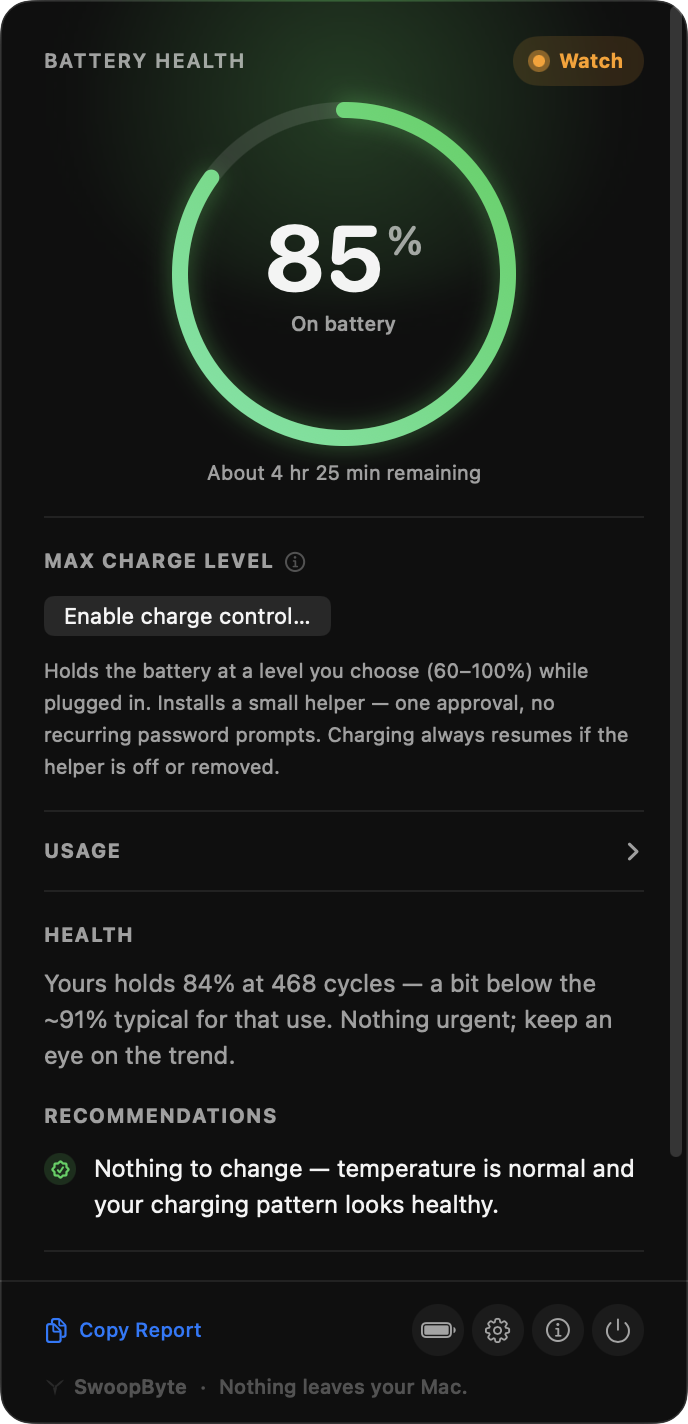
SwoopByte Battery reads your MacBook's real battery data and turns capacity, cycle count, temperature, and trend into one plain verdict: Good, Watch, or Action Needed.
The question
A raw reading like 92% health and 312 cycles can be reassuring or worrying depending on the Mac, its age, its heat history, and whether the number is falling quickly. SwoopByte does the part people currently outsource to forum threads.
92% maximum capacity at 312 cycles.
Good. This looks like normal wear for this Mac. Keep an eye on heat, but no service action is needed.
In-product verdict
92% of original capacity at 312 cycles. That is about what we would expect for a Mac this age. Nothing to do right now.
What is included
Battery is the trust wedge for the SwoopByte family. The health verdict, history, alerts, report, and menu bar view are not held back for an upgrade prompt.
Good, Watch, or Action Needed, with one sentence explaining what the result means.
Capacity, cycle count, charging status, adapter state, and temperature with context.
Capacity and temperature over time so you can spot abnormal decline early.
A quiet glanceable indicator that stays useful without nagging you.
Fair comparison
SwoopByte does not pretend the built-in tools are useless. It fills the interpretation and history gap they leave open.
Apple gives you battery health and charge-limit controls. SwoopByte adds the plain-language read and trend so the percentage is not floating without context.
Good for raw battery stats. SwoopByte is for the moment after the numbers, when you want to know whether they are normal.
Useful for power users who want charging controls (about $24.99 one-time for the paid tier). SwoopByte focuses on whether your battery is actually aging normally, and Battery stays free.
Related battery guides
Heat, charge limits, cycle count, and the habits that matter.
Read guide →The exact reassurance query this product exists to answer.
Read guide →A troubleshooting guide for the next battery article.
In progressAlso from SwoopByte
SwoopByte Disk and Uninstaller are also in development. They carry the same promise into delete-heavy jobs: show everything first, explain what is safe, and keep changes reversible.
A planned Mac disk space visualizer that labels what is safe to delete before anything moves to Trash.
See Disk plans →A planned app remover built around preview-first, Trash-not-delete safety.
See Uninstaller plans →Launching first by email
The direct download is being finalized right now. Leave your email and your download link lands the moment it's live — no account, no Pro tier, no subscription, and nothing leaves your Mac.
Requires an Apple Silicon MacBook running macOS 14 or later. Direct download — no App Store account needed.